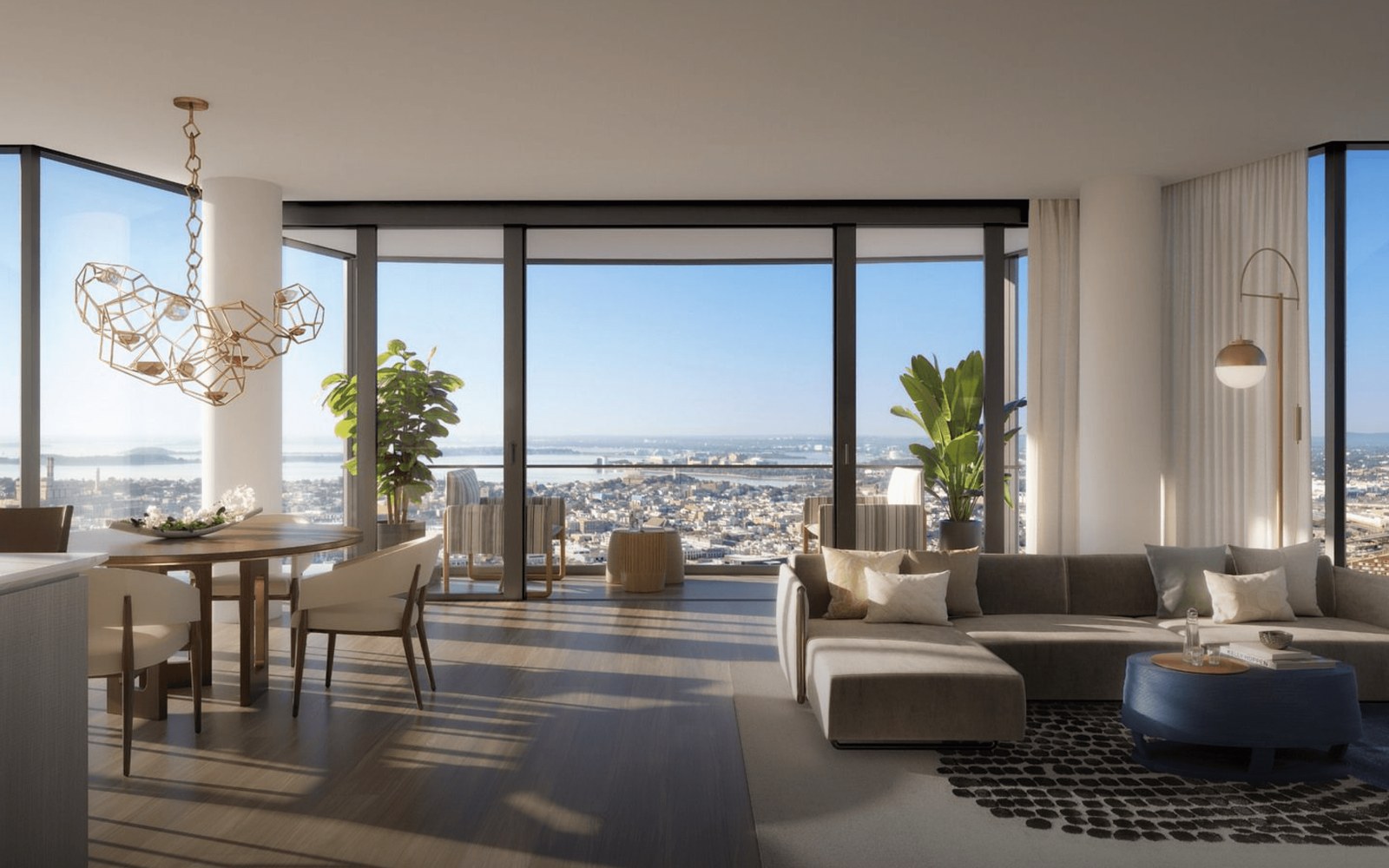
To turn 360° photos into an AI-guided virtual tour, you upload one 360° photo per room, let the software name and order the spaces, and add an AI guide that walks buyers through them and answers questions. With Path, that is a three-step setup on Path+ or above. This guide covers what photos you need, how the setup works, what buyers see, and when photos or Matterport make more sense.
What an AI-guided 360° tour is
A 360° photo captures a whole room in one image. Buyers can drag or turn their phone to look in every direction, which gives a much better sense of the space than a flat photo.
On its own, a set of 360° photos is still a gallery. The buyer has to find their way from room to room, and nobody is there to answer a question about finishes, fees or the school down the street.
An AI-guided tour adds that missing layer. The guide moves the buyer through the home in a sensible order, talks about each room, and answers questions from your property information as they go.
What photos you need
You need one 360° photo for each space you want buyers to see. Each photo should be a single stitched image in the equirectangular format, which lays a full sphere out as a flat picture.
That format uses a 2:1 width to height ratio, for example 6000 x 3000 pixels. Micrio's documentation explains that the 2:1 ratio lets the image be drawn without missing parts at the top or bottom. If your files come out at a different shape, check your camera's export settings before you upload.
Cover every main room: kitchen, living area, primary bedroom, bathrooms and any outdoor space or amenity.
Shoot from the middle of the room: a central spot at about chest height shows the space the way a visitor would see it.
Clear the clutter: a 360° photo shows everything, including the tripod shadow and the cables behind the TV.
Use good light: open blinds and turn on lights so dark corners do not hide details.
How to set it up in Path
In the Path dashboard, go to Properties and create a property. Choose Full Path Experience, which covers immersive 360° and 3D tours on Path+ and above, then pick Upload my own 360° photos.
General Info: Add a cover image or video, your logo, optional background music, the property name, address, website and contact phone. This step also holds your custom instructions for the AI, the target audience, an application link, a scheduling link and an optional property details file (.txt, .pdf, .doc, .docx or .md).
Property Spaces: Upload one 360° photo per space. Path detects 360° images and the AI names each room for you, so the tour reads Kitchen, Living Room and so on.
Choose Agent: Pick the AI agent that will guide buyers. The concierge is called Ella by default, and each property can set its own agent name and use one of Path's agents or a voice clone.
The property details file is worth the extra minute. Ella answers from the information you give her, so a document with sizes, features, fees and building details means fewer gaps when buyers ask specific questions.
What buyers see in the tour
Before the tour opens, each visitor enters a name, email and phone and ticks a consent box. Then they choose to take a guided tour with Ella or explore on their own.
On the guided tour, Ella walks the buyer room by room and asks discovery questions about intent, household, timeline and priorities. Buyers can type or hold the mic to talk, and a mute button turns off narration. On phones, an AR button lets buyers look around the room by moving the device.
The side menu adds Chat, Design and Book. Design lets a buyer reimagine a space with a different style, time of day or furnishing. Book opens your scheduling link, such as Calendly or Acuity, or sends you a meeting request by email with a confirmation to the buyer.
Ella also answers neighborhood questions. Path looks up places on Google within 5 km of the address, such as schools, parks, groceries and gyms, and can pin them on a map with walking and driving times. Every tour shows a notice that AI may provide inaccurate information and that buyers should verify important details.
When 360° photos beat regular photos
Regular listing photos are fast and you probably have them already. Path Lite builds a photo tour from your website photos in about 2 minutes, and our guide on making a virtual tour from listing photos walks through that setup.
360° photos are the better choice when the layout matters to the buyer. Open-plan condos, homes with unusual floor plans and amenity spaces are hard to judge from framed shots. A full view of each room shows how spaces connect and how big they feel.
They also suit remote buyers who will not visit before they commit, and model homes where a builder wants every plan online. If you do not have a 360° camera or the time to shoot, Path+ includes white-glove production, where Path's team shoots your spaces on site in 360° or builds 3D renders from your plans. See how homebuilders and brokerages use each option.
When Matterport makes more sense
A Matterport scan gives buyers a navigable 3D model, where they move freely between points in the space. If you already have Matterport tours, you can keep them. Path links the public share URL, reads the Mattertags, AI-names each space and builds the guided tour from the model, usually in about a minute. Matterport still hosts the model and nothing is re-scanned.
360° photos are simpler to capture and need only a 360° camera. Matterport makes sense when you already have scans or want buyers to walk through the space in 3D. Both run on Path+ and above, and the AI guide works the same way on top of either. Our article on the Matterport AI assistant covers that route.
Frequently asked questions
Which Path plan do I need for 360° tours?
360° and 3D tours, including Matterport, need Path+ or above. Photo tours are available on Path Lite.
Do I have to name each room myself?
No. When you upload one 360° photo per space, the AI names each room for you.
What format should my 360° photos be in?
Use stitched equirectangular images at a 2:1 width to height ratio. Path detects 360° images when you upload them.
Can buyers ask questions in other languages?
Yes. Ella answers buyers 24/7 in 42+ languages, by voice or text.
What if I do not have a 360° camera?
You can start with a photo tour on Path Lite, or use white-glove production on Path+, where Path's team shoots your spaces in 360° or builds 3D renders from your plans.
See a 360° guided tour in action
Book a 30-minute demo and bring a listing or project you want online. We will show you how the 360° setup works and what your sales team sees when buyers take the tour. You can also try a live demo tour first.
See what buyers ask inside your virtual tours
Path answers buyers 24/7 in 42+ languages, scores their intent and tells your team who to call first.
Book a demo